PaperOS
for Android.
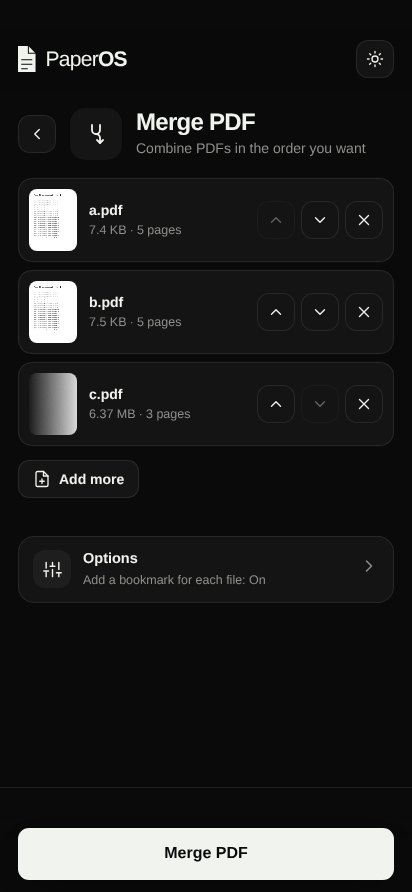
All 55 PDF tools in one app that works offline. Merge, compress, sign, scan, OCR in Hindi & English. No ads, no login, and your files never leave your phone.
Download APKv1.0.0 · 2.6 MB · Android 7.0+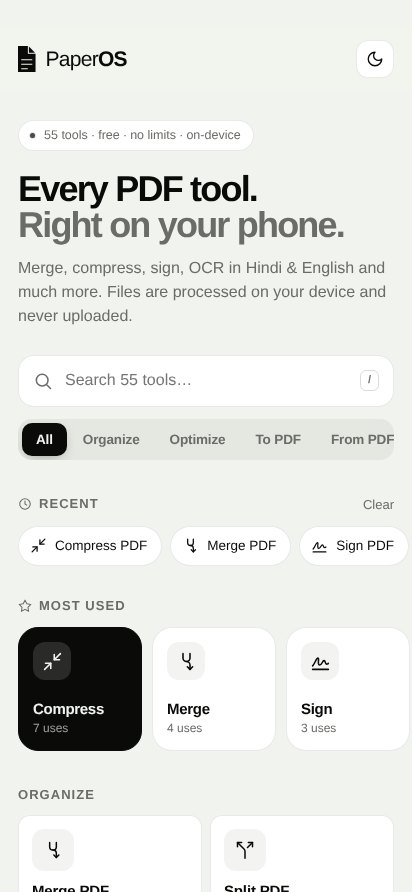
Works offlineEvery tool is built into the app. OCR downloads its language data once.
Open with PaperOSShare a PDF or photo from WhatsApp, Files or Gallery straight into a tool.
Saves to DownloadsResults go to Downloads/PaperOS, or share them anywhere in one tap.
Scan with cameraPhotograph pages and turn them into a clean PDF.
Private by designNo account, no uploads, no analytics. Processing happens on your phone.
Dark modeFollows your phone's theme, with smooth light/dark switching.
How to install
- Tap Download APK above.Chrome may warn that APK files can be harmful. Tap “Download anyway”.
- Open the downloaded file.If Android asks, allow “Install unknown apps” for your browser or file manager.
- Tap Install, then open PaperOS.Updates install over the top. Your settings are kept.
SHA-256 (PaperOS-v1.0.0.apk): 4087a0b65299a3a15319c282fd80ca3bc39b3d6e9ce0e457233b14077b6010a4
Signing certificate SHA-256: 88:E0:81:4A:91:F7:5E:7B:F0:97:1F:25:EC:83:4A:28:62:82:AF:4C:3D:BF:40:A4:8C:79:DC:9D:64:E3:BC:68